
Google says “power users” can “still install” unverified apps. Here’s what that actually looks like:
Delve into System Settings, find About Phone
Tap the build number seven times to enable Developer Mode
Dismiss scare screens about coercion
Enter your PIN
Restart the device
Wait 24 hours
Come back, dismiss more scare screens
Pick “allow temporarily” (7 days) or “allow indefinitely”
Confirm, again, that you understand “the risks”
Nine steps. A mandatory 24-hour cooling-off period. For installing software on a device you own.
Worse: this flow runs entirely through Google Play Services, not the Android OS. Google can change it, tighten it, or kill it at any time, with no OS update required and no consent needed.
It won’t be a problem on a de-googled phone. Get it running LineageOS or GrapheneOS. Then install F-Droid (and probably Aurora store too). Some Google junk won’t work, but you’ll soon be more limited by having Google services on your phone than not having it.
If one looks at the supported devices pages (which I do regularly hoping that it supports mine) it’s easy to see that 99% of devices on the market simply can’t use them.
Yeah, it’s been getting harder as time goes on. It’s basically only pixels that are supported and still on the shelf.
Worse - that 24 hour timer? You only have a short window of time once it finishes to continue, otherwise you have to wait another 24 hours.
Under the assumption this is a non negotiable thing…
They should at least let you alter the timer if you know you might not be able to
Like if in the post 24h window you know you’ll be busy, let you make it 28h instead of 24h
Also, no autoupdates!
I recently learned that this setting actually persist after migrating to another phone.
that would be only if you chose to backup and restore your android settings
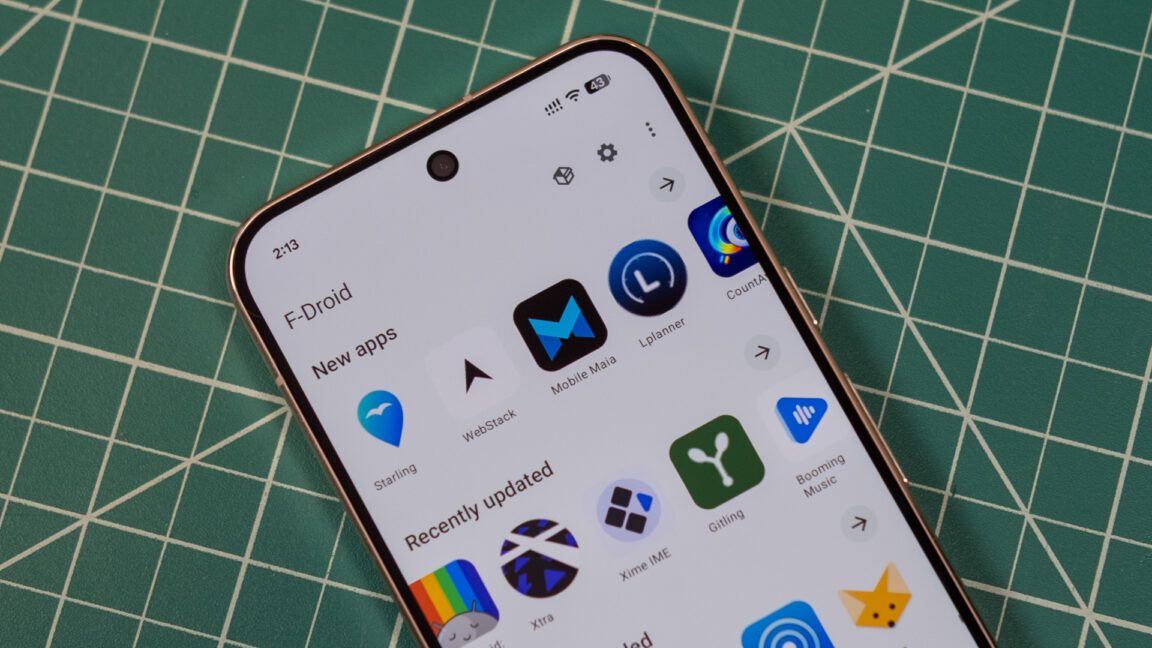
I’ve just tried it. The UX is great and the downloads are faster than ever. It’s soo much better noww!
UX is much better. I wouldn’t say it’s great. At all.
But I’m really happy to see big improvements! And I’m finding things I had no idea were on the “store” before at all. Which ultimately is the goal.
It has indeed gotten better more pleasing to look at.
The new ui is excellent, much more approachable in my opinion
I have been using droidify for some time now since the updates and install part has always been a bit weird and the notifications too. Hope it is better now. Not super happy with my current option either.
What I really want is a way to use it properly on the TV, because all the current store apps are so, but so so bad and horrible in a screen controlled with a remote control that is almost a joke.
well … i’ll stick with droidify
Saw the post after I had an update on my e/OS and wanted ti check out the new look.
Sadly not one APP showed up. Empty shell. FDroid blank.
24 hours? Will check it tomorrow. Edit: solved itself, see next comment.
Solved itself. After the packages got updated (which somehow suddenly did by itself after several hours).
Looks quite good. I am not a fan of M3E in general, but the app is well-made.
But does it allow you to backup your app list to move to a new device? This is why I moved to obtainium from Fdroid. In reading the article, I don’t see a mention of a backup feature.
deleted by creator
You can opt out of it by putting your phone in “developer mode” or by using something like LineageOS
I was thinking about rooting my phone to install LineageOS, but unfortunately, that plan won’t be possible because I don’t really understand how to do it, and I don’t have a computer or another phone to help me.
The only thing I’ve done so far is disable Google Play services, and I’m using a few microG apps instead. :/
LineageOS is great I am using it right now, however do keep in mind that you do not need to root your phone in order to install LineageOS.
What:0
But you don’t need to unlock the bootloader to install LineageOS.
Half of the videos I watched on YouTube said that it was necessary to format the phone or do several other things to unlock it. I was already getting confused with so much information.
You don’t need to root your phone, just unlock the bootloader. But yes you will need to hook it to a PC or maybe another phone to make it work. I did mine off a PC.
deleted by creator
This kind of news always terrifies me. Will see though.
Now that’s a name I have not heard in a long time…