return2ozma@lemmy.world to Technology@lemmy.worldEnglish · 3 months agoI turned my streaming stick into a dumb app launcher, and that's all it should bewww.xda-developers.comexternal-linkmessage-square19linkfedilinkarrow-up1159arrow-down11
arrow-up1158arrow-down1external-linkI turned my streaming stick into a dumb app launcher, and that's all it should bewww.xda-developers.comreturn2ozma@lemmy.world to Technology@lemmy.worldEnglish · 3 months agomessage-square19linkfedilink
minus-squaregedaliyah@lemmy.worldlinkfedilinkEnglisharrow-up26·3 months agoProjectivity is another great option, especially if you want a few more options without anything you don’t want.
minus-squareValentine Angell@lemmy.worldlinkfedilinkEnglisharrow-up10·3 months agoI also use Projectivity on my NVIDIA shield. No ads, no recommendations, just the apps I want. Everyday I’m glad I installed it.
minus-squareEvotech@lemmy.worldlinkfedilinkEnglisharrow-up1·edit-23 months agoSo you launch shield then launch projectivity? Or did you reinstall the shield os
minus-squareCOASTER1921@lemmy.mllinkfedilinkEnglisharrow-up2·3 months ago++Projectivy, it’s top tier software. It’s so clean by default, has lots of customization options, and no ads whatsoever. It’s so good that I worry Google will try to take away the option to use a third party homescreen on Android TV.


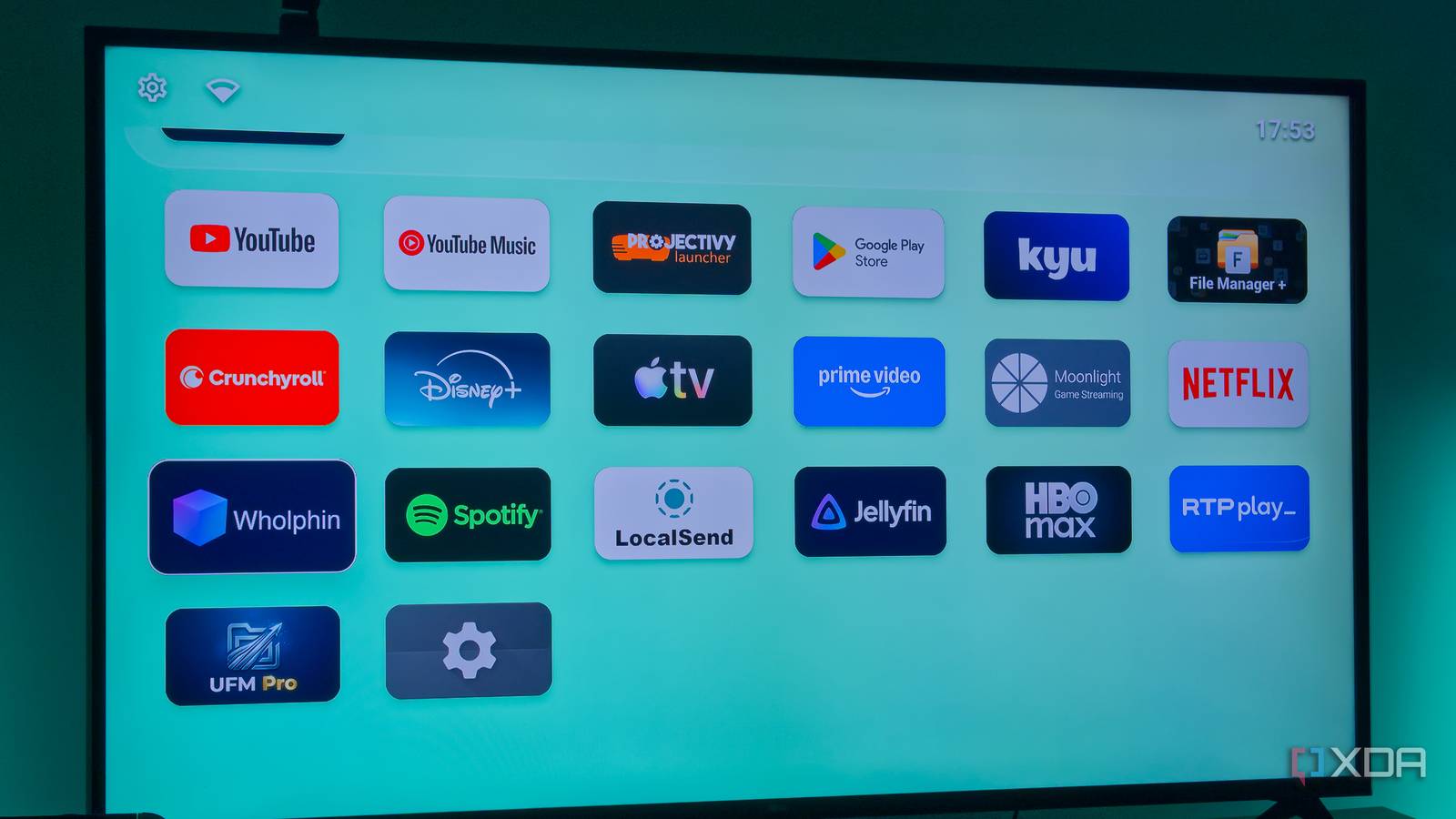
Projectivity is another great option, especially if you want a few more options without anything you don’t want.
I also use Projectivity on my NVIDIA shield. No ads, no recommendations, just the apps I want. Everyday I’m glad I installed it.
So you launch shield then launch projectivity? Or did you reinstall the shield os
++Projectivy, it’s top tier software. It’s so clean by default, has lots of customization options, and no ads whatsoever. It’s so good that I worry Google will try to take away the option to use a third party homescreen on Android TV.