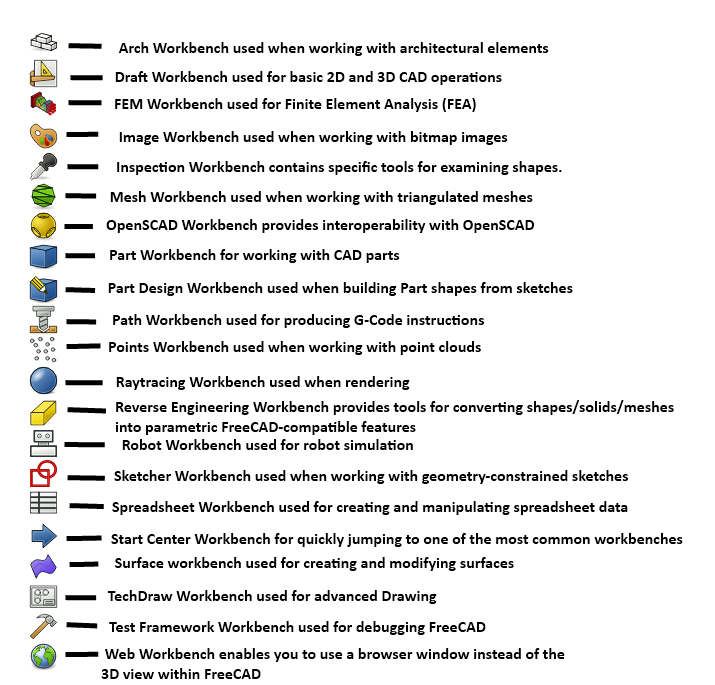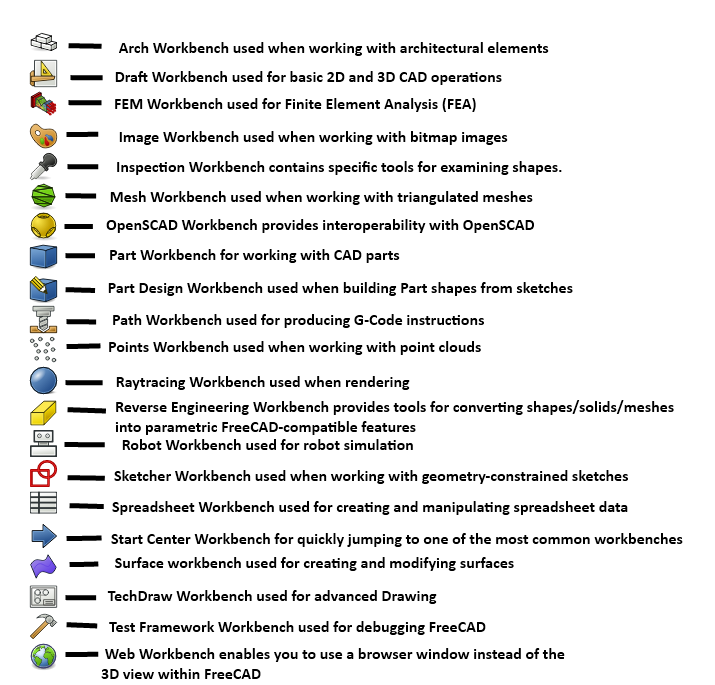

I thought I would knock some dust off my drafting skills after a small chat with @captain_aggravated@sh.itjust.works
Seeing this image on the tutorial made me realize, FreeCAD seems to be a Technical Geometry Super-Suite. It makes sense that CAD would grow to include all of these things. But I thought sharing the initial perspective of some one who hasn’t looked at this stuff in about 18 years might be interesting.
Granted I’m not actually familiar with most of this stuff, and none of it from the POV of FreeCAD. If this can deliver 10% of what I’m looking at, I’m in for a treat.
Seems like a good opportunity to ask if anyone can recommend learning materials for FreeCAD? Used Solidworks and AutoCAD in school but fell back on tinkercad for a recent project just cause I didn’t have time to invest in learning.
FreeCAD is fairly good. Some of the controls are a bit wonky, but that is just a minor gripe. If you are starting on FreeCAD, that doesn’t matter so much. FreeCAD is good to know if you design components for KiCAD as well.
Parametric modeling is fucking awesome, btw. I am not quite sure how old that concept is though.
Pretty old, I’d say 30 years. It’s what made pro/e, one of the first 3d cad systems, so famous within Boeing.
My architect so poked at it for a bit and quickly gave up.
That part at least isn’t suited to its target audience apparently.
Do they have editable history yet? That’s a big blocker for me jumping.
I was disappointed not to see one. That’s not a ‘no’, but I did look for one.
There’s basically a tree of operations that have been applied to a model. At any point, you can go back and edit what you’ve done at a previous step. For example, if you padded a feature out 10 mm, then added more stuff onto that feature, you could still go back and change that padding operation to 15 mm.
I’m still super new to freecad, and I haven’t done anything too complex in it yet, but my understanding is that some types of those changes can result in the topological naming problem. The way I understand it, when you make a shape, the software numbers all of the segments, vertices, and faces. If later changes are applied to those numbered faces, etc, and you go back and redo the operation that made those faces, etc, in a different order, the numbering will be different, and it will break your model.
There is a fork of freecad that fixes that whole issue, but the fix hasn’t been implemented yet in the main fork cause it’s pretty foundational to the working of freecad, so there’s a lot of things that can break
Needs a better logo as well
Actually that’s a great place for some “I want to help but I don’t know computers” people to jump in.
Yep, there’s a ton of great Foss projects that have a shitty logo. Look at Octave, looks like something 10yo me made in MS paint in 5 min
Great piece of software, but still nowhere near the beauty of PicoCAD